Independent review · Updated November 19, 2026

EverPitch Review: Features, Benefits, Pros and Cons

EverPitch promises to turn an idea, a document or an old recording into a complete webinar, then present it every day and answer questions out loud. This EverPitch review separates what the seller claims from what we could verify, and covers the price, the refund policy, the risks and who it suits.

How this review was made

We have not used EverPitch ourselves. This review is based on the seller’s public Bundle page (researched November 19, 2026), searches for independent reviews and complaints, and government guidance on the underlying technology. No testing, ratings or customer stories have been invented. This is an independent affiliate site: if you buy through our links, the seller may pay us a commission. That does not change the pros, cons or verdict below.

By the everpitch.vercel.app editorial team · Affiliate Disclosure

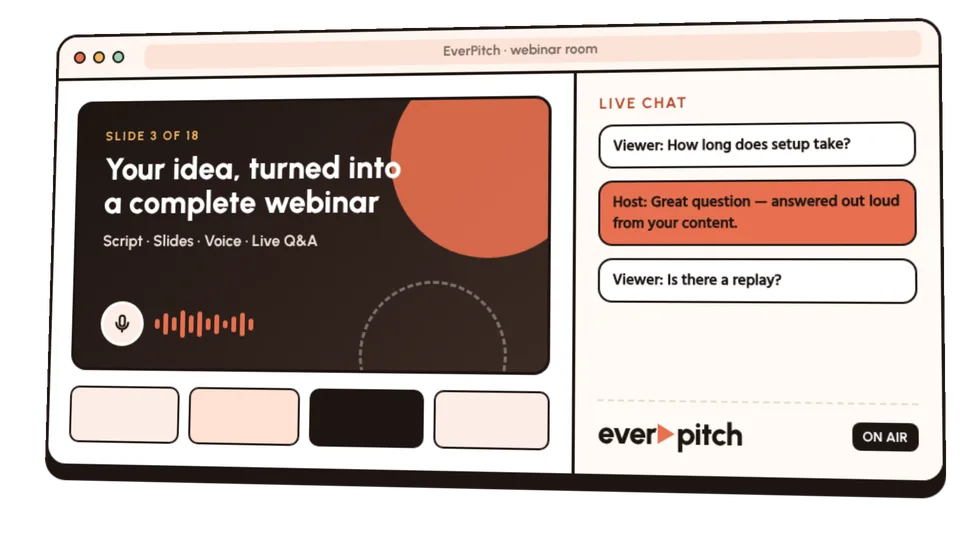
EverPitch review illustration: an EverPitch webinar room with AI-designed slide, narration and live chat answered by the AI host

The short verdict

A capable all-in-one idea for evergreen webinars at a one-time price, with a fair 30-day refund window. The catches: no independent reviews yet, credit limits, and AI output you must check yourself.

Jump to the full verdict ↓

What is EverPitch?

EverPitch is browser-based AI webinar software. You give it a topic, a document, a link, a PDF deck or a recording, and it produces a webinar script, a slide deck and an AI voice-over. Once you have reviewed and edited the result, EverPitch hosts the webinar on a schedule, builds the registration and replay pages, sends reminders and follow-ups, and answers viewers’ questions out loud using your content.

It is sold through JVZoo in two main forms: EverPitch on its own, and the EverPitch Bundle, which adds more credits, done-for-you webinars, ready-made kits and a client licence. This review focuses on the Bundle, since that is the offer this site links to. For a plain product summary without the analysis, see What Is It.

How does EverPitch claim to work?

According to the seller, the process has three steps:

  1. Describe it, or pick a kit. Type the topic, attach a PDF, upload a recording or start from one of 24 kits.
  2. Review it. The talk, slides and voice come back; change any slide by asking and add on-camera clips made from one photo.
  3. Share it. Publish a registration page or embed a join button; EverPitch presents on schedule.

During a session, the talk plays on a shared clock so everyone sees the same moment, and the host answers questions out loud from the webinar’s content. These are the seller’s descriptions. We explain each step in more depth on How It Works.

Complete EverPitch feature breakdown

A webinar tool’s features are its “ingredients”. Each card below separates the seller’s claim from our analysis, including what we could not verify.

AI webinar scripts

Seller says Writes a structured talk with an opening, teaching and a move to your offer, from an idea, document, URL or recording.

Our analysis Quality depends on your input and on how much you edit. Generative AI can state things confidently that are wrong, so every line needs a human check. EverPitch does let you edit the whole script.

AI-designed slides

Seller says 73 layouts, 11 visual styles, AI slide images, your logo and colours, PDF deck import, and changes made by asking.

Our analysis Plenty of layout choice for a webinar tool. We could not assess design quality ourselves. AI images use extra credits.

AI narration and voice cloning

Seller says 30 AI voices in 87 languages; voice cloning from a recording only with the speaker’s consent.

Our analysis Removes the need to record. Whether a synthetic voice suits your audience is a judgement call. The consent step matters, given the FTC’s concerns about voice cloning misuse.

Automated daily hosting

Seller says Sessions run on flexible schedules, in each viewer’s timezone, on a shared clock so everyone sees the same moment.

Our analysis This is an evergreen (pre-prepared) format, not a live presenter. The seller says so in its FAQ. Present it honestly to your viewers.

Spoken AI Q&A

Seller says Answers questions out loud from your webinar’s own content, up to 20 free spoken answers per session; spam is screened first.

Our analysis A real differentiator against silent replays, but the 20-answer limit and content-only answers mean you should add an FAQ to your webinar’s host knowledge.

Pages, emails and checkout

Seller says 31 registration templates, 20 replay-page templates, reminders, calendar invites, follow-ups, a join button and an offer card; payments and leads go to your own accounts.

Our analysis Covers the funnel around the webinar. You remain responsible for email-law compliance (such as CAN-SPAM) and for handling registrants’ data.

Recording and demo import

Seller says Turns a past recording (up to 2 GB) into an evergreen webinar; inserts a demo video with a spoken lead-in where it fits.

Our analysis Useful if you already have a strong recorded pitch. We could not test how well slides are read from video.

Bundle extras

Seller says 8,000 credits a month, 24 webinar kits, 10 done-for-you webinars, Agency client licence and three bonuses.

Our analysis Good value only if you will use the extras. If you run one webinar a month for yourself, EverPitch on its own may be enough.

What independent sources say about the technology

No independent study has tested EverPitch itself. What does exist is government guidance on the technologies it relies on. This guidance describes general risks; it says nothing about EverPitch specifically.

Independent · NIST

Generative AI can produce confident errors

NIST’s Generative AI Profile (AI 600-1) lists confabulation, meaning confidently stated false content, among the risks of generative AI. Practical takeaway: read every line of an AI-written script before it goes live.

View source
Independent · FTC

Voice cloning carries real misuse risks

The FTC has highlighted fraud and misuse of people’s voices as harms of AI voice cloning. EverPitch’s consent confirmation is the right design; it is still your responsibility to get genuine permission.

View source
Independent · FTC

Fake reviews and testimonials are prohibited

The FTC’s rule on consumer reviews and testimonials, in effect since October 21, 2024, bans fake testimonials, including AI-generated ones. This matters if you add social proof to an automated webinar.

View source
Independent · FTC

AI marketing claims need evidence

FTC staff guidance warns businesses to keep claims about AI products truthful and supported. Apply the same scepticism to any review, including this one, that promises results.

View source

More sources are listed under References & Research. None of these agencies reviews, approves or endorses EverPitch.

Potential benefits and limitations

Potential benefits

  • Removes scripting, slide design, recording and presenting from your workload
  • A webinar that runs daily in viewers’ own timezones
  • Spoken answers to questions instead of a silent replay
  • Reach into other languages without separate funnels

Limitations

  • It produces and hosts; it does not create demand or traffic
  • Output quality depends on your input and editing
  • Monthly credits limit how much you can build
  • Not a live-streaming tool unless you buy Ultra

For a fuller list of what each feature does for you, see EverPitch benefits.

Risks and possible downsides

Software has no physical side effects, but there are practical risks to manage:

  • Accuracy. AI-written scripts and spoken answers can be wrong. Edit the script and add your own FAQ to the host’s knowledge.
  • Honesty about the format. An evergreen webinar is prepared in advance. Don’t imply it is a one-off live event, and keep the simulated-audience option disclosed if you use it.
  • Consent. Only clone a voice, or feature a person, with clear permission.
  • Data and email. You collect registrants’ details and send them email, so privacy and anti-spam rules apply to you.
  • Vendor dependency. Your webinars run on EverPitch’s service. The sales page does not state long-term service or uptime terms, so read the terms of service before relying on it.
  • Upsells. Ultra is sold separately; the Bundle itself is the complete package for everything else listed.

EverPitch pros and cons

Pros

  • One tool covers script, slides, voice, hosting, Q&A, pages and follow-up
  • One-time payment ($199.10 for the Bundle), no yearly renewal stated
  • 30-day money-back guarantee, refunded through JVZoo
  • You can read and edit every line before anything goes live
  • 87 languages with linked, re-voiced versions and combined analytics
  • Transparent about format: simulated audience is optional and disclosed on the page
  • Client licence and white-labelled pages included in the Bundle

Cons

  • No independent customer reviews or ratings found as of November 2026
  • Credits cap how many minutes you can build each month (about 200 with the Bundle)
  • Ultra (live streaming, MP4 export, on-camera host, voice calls) costs extra
  • AI-written content still needs careful human review
  • Spoken answers are limited to 20 per session and only cover your content
  • A one-time price for a hosted service: long-term service terms are not stated on the sales page
  • It does not bring you an audience; traffic is still your job

EverPitch price and available packages

Prices below are as listed by the seller on November 19, 2026. Confirm them at checkout.

EverPitch prices
ItemSeller’s pricePayment
EverPitch Bundle (all four products + bonuses)$199.10One time
EverPitch Commercial$39.10One time
DFY Webinars$67.00Listed in separate-purchase total
Webinar Kit Vault$47.00Listed in separate-purchase total
Agency$77.00Listed in separate-purchase total
Credit Boost (8,000 credits)$77.00Listed in separate-purchase total
Separate first-year total$307.10Seller’s figure
UltraNot listed on the Bundle pageSold separately

The Bundle’s $108.00 saving is the difference between the seller’s separate first-year total and the Bundle price. There is no shipping: access is digital, with a login email sent after checkout.

Refund policy and money-back guarantee

The seller offers a 30-day money-back guarantee. If the Bundle isn’t right for you, email support within 30 days of buying and the refund is processed through JVZoo. The seller says no reason is required. Keep your purchase email, and test the product early in the window rather than on day 29.

Who may find EverPitch relevant?

  • Coaches, consultants and course creators who repeat the same pitch on calls
  • Service businesses and SaaS teams selling something that needs explaining
  • People who don’t want to appear on camera or present live
  • Agencies building webinar funnels for clients (Agency licence in the Bundle)
  • Sellers reaching audiences in several languages

It is a weaker fit if you need real-time live streaming, run very long webinars every week (credits), or have no plan for getting visitors to register.

Who should get professional advice first?

EverPitch isn’t a health product, so medical advice doesn’t apply. Some users should still check with a qualified professional before relying on it:

  • Businesses in regulated fields such as finance, health, legal or insurance, where presentations and claims are subject to specific rules
  • Agencies signing client contracts that cover branding, data and ownership of content
  • Anyone planning to clone a voice or use another person’s likeness
  • Sellers emailing audiences in the EU, UK or other regions with strict privacy and marketing-consent laws

Is EverPitch worth it? Is it legit?

Legitimacy. EverPitch sells through JVZoo’s checkout with a stated 30-day refund, publishes detailed limits (credit costs, the 20-answer cap, what Ultra excludes) and tells buyers that simulated audiences are disclosed. Those are good signs. JVZoo processes the payment but is not the seller.

Complaints. As of November 19, 2026 we found no published EverPitch complaints and no independent reviews. That may simply reflect a recent launch, so check again before buying.

Value. Producing a webinar normally takes a writer, a designer, a voice or presenter, a hosting platform and a page builder. EverPitch replaces that stack with one tool for a one-time payment. It is worth considering if you will actually run webinars regularly; it is poor value if the extras sit unused.

EverPitch compared with a typical do-it-yourself webinar setup
TaskTypical DIY setupEverPitch
Script and slidesYou write and design, or hire helpAI first draft you edit
NarrationYou record yourself30 AI voices, 87 languages
HostingSeparate webinar platformIncluded, daily schedules
QuestionsYou answer live, or a replay can’tSpoken answers from your content
Pages and emailsSeparate page builder and email toolIncluded per webinar

EverPitch review FAQ

Does EverPitch work?

Based on the seller’s published information, EverPitch creates a script, slides and AI narration from your input, hosts the webinar on a schedule and answers questions out loud. We have not tested it ourselves, so we can’t confirm output quality. The 30-day guarantee gives you a window to test it on your own topic.

Is EverPitch legit?

EverPitch is sold through JVZoo’s checkout with a stated 30-day money-back guarantee, and the sales page explains its limits plainly. JVZoo is the payment platform, not the seller, so support and refunds are handled by the EverPitch team through JVZoo. We found no independent reviews yet, which is common for a newly launched product.

Are there EverPitch complaints?

We searched for EverPitch complaints and reviews on November 19, 2026 and did not find any published customer complaints or independent reviews. That is not proof there are none. Check again before buying, and see our customer reviews page for updates.

Does EverPitch have side effects or risks?

As software it has no physical side effects. The practical risks are AI mistakes in scripts or answers, misrepresenting a pre-recorded webinar as live, using someone’s voice without consent, and handling registrants’ data carelessly. Each is covered in the risks section.

How much does EverPitch cost?

The Bundle is listed at $199.10 as a one-time payment. The seller lists EverPitch Commercial on its own at $39.10 within its separate-purchase breakdown. Prices can change, so confirm at checkout.

Is EverPitch worth it?

It is worth considering if you repeatedly explain the same offer and want a webinar running daily without presenting it yourself. It is harder to justify if you need true live streaming, or if you won’t use the extra credits, kits and client rights in the Bundle.

More questions are answered on the EverPitch FAQ page.

Final verdict

EverPitch is worth considering if you sell something that needs explaining and you want a webinar working for you every day without scripting, designing or presenting it yourself. On paper the Bundle is strong value at $199.10 one time, and the 30-day refund lowers the risk of trying it.

Hold back if you need live streaming (Ultra costs extra), if you won’t use the extra credits and kits, or if you would rather wait for independent customer reviews, which don’t exist yet. Whatever you decide, edit the AI’s script carefully and be honest with viewers that the webinar is prepared in advance.

We give no star rating, because we have not tested EverPitch ourselves.
The Bundle

Want to test EverPitch on your own topic?

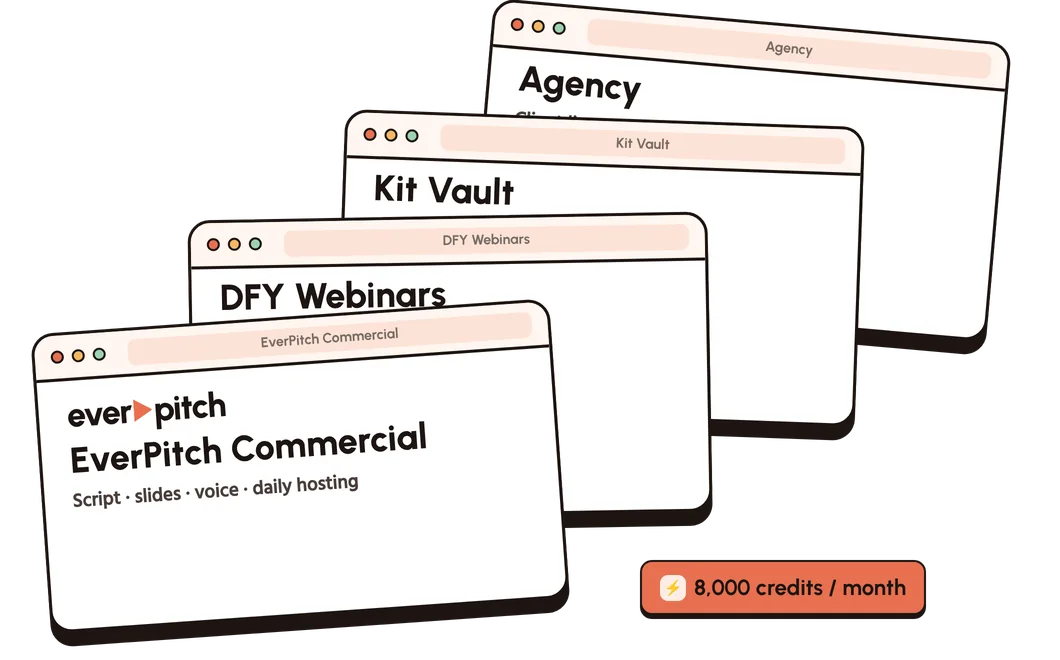
One payment of $199.10 switches on EverPitch Commercial, DFY Webinars, Kit Vault and Agency, with 8,000 credits a month and a 30-day money-back guarantee from the seller.

$199.10 one time · no yearly renewal
Illustration of the four EverPitch Bundle products stacked: Commercial, DFY Webinars, Kit Vault and Agency
EverPitch